UAT Environment
Nubra provides two environments for Python SDK usage:
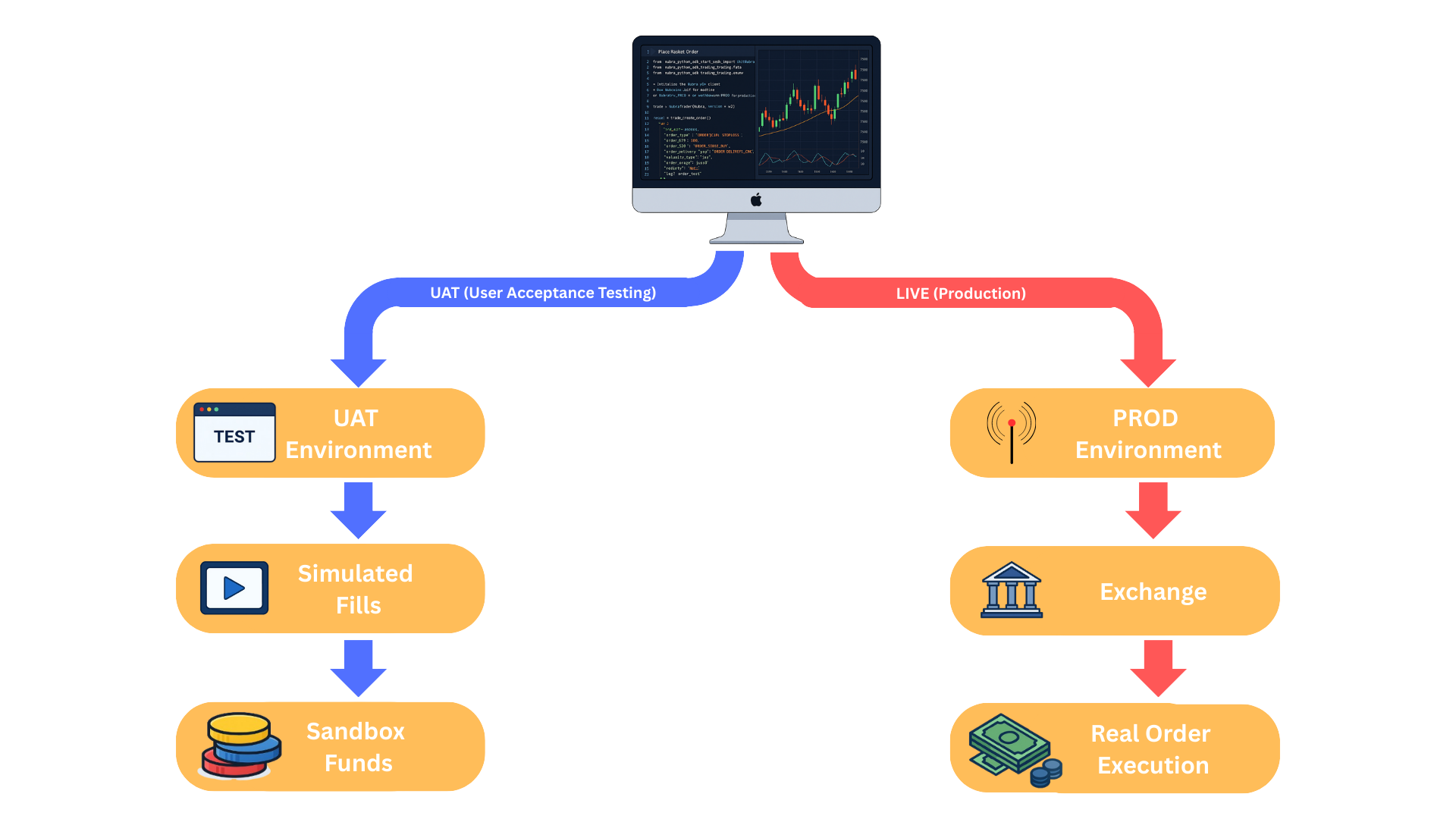
UATfor testing and validationPRODfor live trading
Use UAT to safely test strategy logic, authentication, data access, and order workflows without sending real trades to the exchange.
LLM guidance
Use this page when environment selection affects identifiers, balances, or trading behavior. Treat UAT and PROD as separate systems. Do not reuse ref_id, basket state, funds assumptions, or portfolio assumptions across them.
What Is UAT?
The UAT environment is a sandbox used for:
- building and testing strategies
- verifying authentication flows
- validating order placement, modification, and cancellation
- checking SDK integration without financial risk
UAT is isolated from LIVE and does not send real exchange orders.
UAT vs LIVE
| Feature | UAT | LIVE |
|---|---|---|
| execution type | simulated fills | real exchange execution |
| funds | sandbox or virtual balance | actual trading balance |
| market impact | none | real market impact |
ref_id values |
different from LIVE | production identifiers |
| SDK methods | same method surface | same method surface |
| risk level | no financial risk | real financial risk |
| use case | development and testing | production trading |
How UAT Works
- orders use simulated fills
- sandbox funds are provided
- market data may differ slightly from LIVE
- nothing impacts the real trading account
- it is intended for development, debugging, and testing
Switching Between UAT And LIVE
from nubra_python_sdk.start_sdk import InitNubraSdk, NubraEnv

# UAT
nubra = InitNubraSdk(NubraEnv.UAT)

# PROD
nubra = InitNubraSdk(NubraEnv.PROD)
The method surface remains the same. The environment context changes.
When To Use UAT
Use UAT when you want to:
- test strategy logic
- validate subscriptions and callbacks
- verify order workflows
- check that scripts are stable before moving to production
Important Rules
Important Rules
ref_idvalues differ between UAT and PROD. Always resolve instruments in the active environment before sending trading or market-data requests.- UAT and PROD balances, positions, holdings, and order state are separate.
- SDK method names remain the same across environments, but the returned identifiers and account data do not.
- Use UAT for validation and testing only. Use PROD only when the workflow is ready for live trading.
